Convolutional Neural Networks
From Pixels to Learned Features
Matouš Cejnek
Department of Instrumentation and Control Engineering
Faculty of Mechanical Engineering, CTU in Prague
Faculty of Mechanical Engineering, CTU in Prague
→ Space next step ·
← back ·
F fullscreen ·
O overview ·
H help
Why This Lecture
- CNNs transform images into hierarchies of features.
- The goal is to understand tensor shapes, parameters, and gradient flow.
- By the end, you will be able to design and diagnose a small CNN.
Roadmap
- Five parts; each one builds only on the previous ones.
- Every new operation is first shown on a tiny numeric example.
- Check questions close each block.
From Measurement to Decision
- A camera provides an array of intensities, not objects.
- The model must separate changes in the object from changes in image acquisition.
- The output must match the task and its decision tolerance.
Four Typical Outputs
- Classification: one label (or a vector of independent attributes).
- Detection: a variable number of boxes, each with a class.
- Segmentation: a class for every pixel. Regression: continuous quantities.
What Changes in an Image?
- Position, scale, rotation, and deformation of the object.
- Illumination, exposure, noise, and background.
- Occlusion and within-class variability.
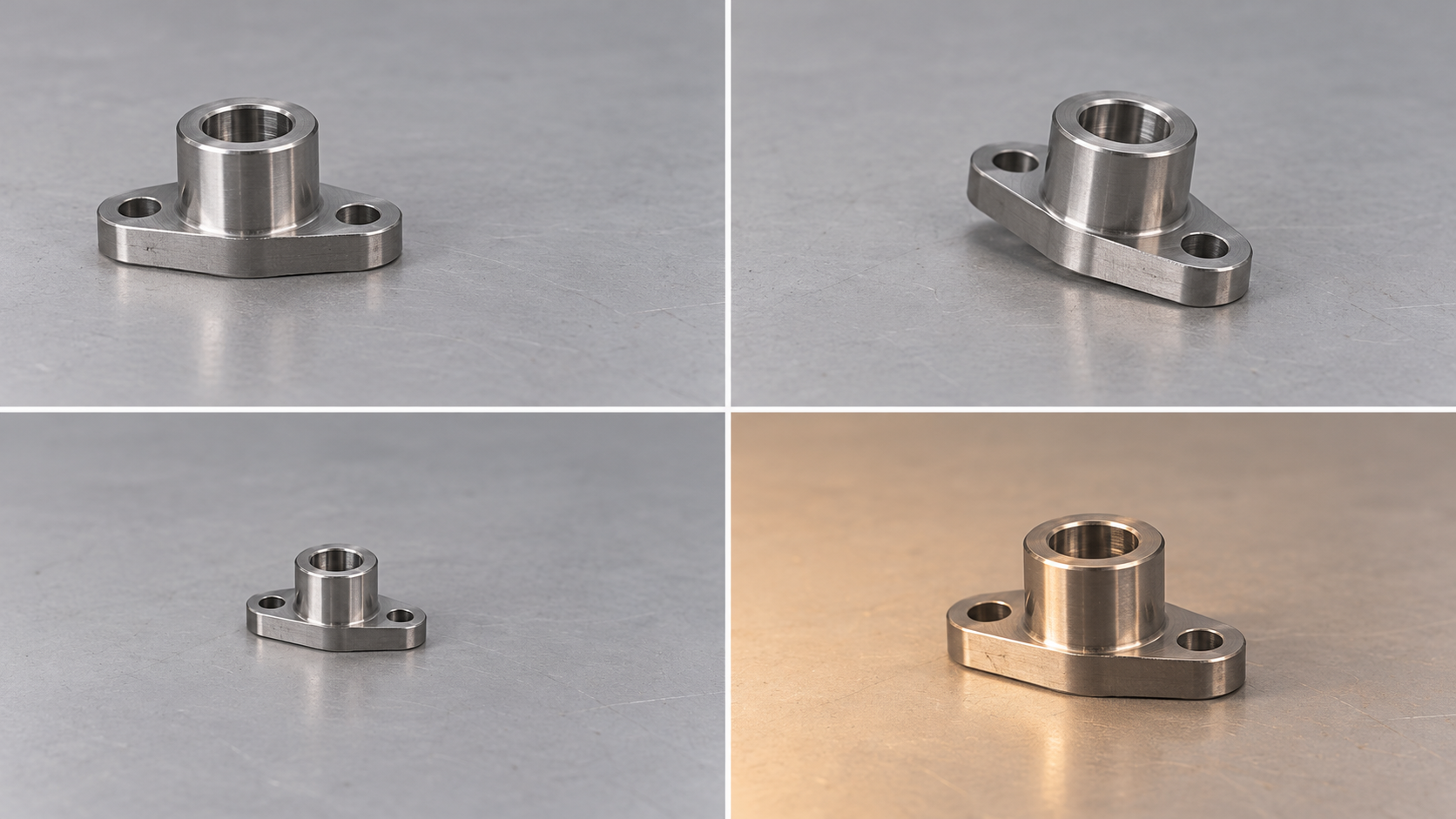
Check question
What should remain invariant when a product is inspected by a camera?
Give one desirable and one undesirable invariance.
?
An Image Is a Tensor
- A grayscale image is a matrix of numbers, one per pixel.
- A colour image adds a third axis: channels. In PyTorch the order is C × H × W.
- Everything a CNN does is arithmetic on such arrays.
A Single Neuron
- Weighted sum of inputs plus a bias: z = wTx + b.
- An activation function φ turns z into the output y = φ(z).
- Learning means finding w and b that reduce the loss.
Why We Need Nonlinearity
- Two linear layers in a row are again one linear map: W2W1 = W.
- An activation between them breaks this collapse; then depth adds expressive power.
- ReLU = max(0, z) is the default in CNNs: cheap, with well-behaved gradients.
Fully Connected Networks on Images
- The image is flattened into one long vector.
- Every input pixel is connected to every unit of the next layer.
- 224 × 224 × 3 inputs → 1000 units: 150 million weights in one layer.
- Flattening also throws away which pixels are neighbours.
The Same Pattern at Another Position
- A fully connected layer has a separate weight for every pixel index.
- A pattern seen at position A teaches nothing about position B.
- We want one detector that is reused everywhere in the image.
The Inductive Bias of CNNs
- Local connectivity: an output depends on a small neighbourhood only.
- Weight sharing: the same small kernel is applied at every position.
- Hierarchy: stacked layers compose edges into parts and parts into objects.
Convolution as a Local Operator
- Take a small window of the input, e.g. 3 × 3 pixels.
- Multiply it cell by cell with a kernel of the same size and add up the products.
- The result is one number of the output map. The kernel values are learned weights.
The Sliding Window in 1D
Start with a 1D signal: the kernel w = [−1, 0, 1] is placed over three neighbouring inputs, gives one output, and then moves one cell to the right.
One Output Value in 2D
- In 2D the window is a 3 × 3 patch; the kernel is a 3 × 3 matrix.
- Multiply the 9 pairs of matching cells and add them: one number.
- In general: yi,j = Σu Σv xi+u, j+v · ku,v.
The Sliding Window in 2D
The window moves left to right, then down by one row. Each position fills one cell of the output; the kernel never changes.
What Does a Kernel Detect?
- The output is large where the input patch looks like the kernel.
- [−1, 0, 1] in every row compares right with left: a vertical-edge detector.
- A CNN does not get such kernels by hand; it learns them from data.
The Same Idea on a Real Image
- One 3 × 3 kernel slides over the whole image, row by row; its output is a feature map.
- Flat regions give values near zero (grey); edges give strong responses. Try other kernels, or drop your own image.
- Libraries actually compute cross-correlation (no kernel flip); for learned kernels the difference does not matter.
Check question
What does the kernel
[[1, 1, 1], [0, 0, 0], [−1, −1, −1]]
respond to?
Horizontal edges: bright rows above dark rows give a large positive output, the reverse a negative one.
?
Output Size: Counting Window Positions
- The output has as many values as there are valid window positions.
- Without padding the window must stay inside the input.
- Each layer therefore shrinks the signal by K − 1.
Padding
- Padding adds P extra values (usually zeros) at each border.
- With P = (K − 1)/2 and stride 1 the output keeps the input size (“same”).
- Border outputs partly see artificial values; keep this in mind when measuring near edges.
Stride
- Stride S is the step of the window; S = 2 skips every second position.
- It filters and downsamples in one operation, so later layers are cheaper.
- Large strides can skip small objects and cause aliasing.
Dilation
- Dilation D inserts gaps between the kernel taps.
- The kernel covers a span of D(K − 1) + 1 inputs with only K weights.
- It enlarges the view without downsampling (common in segmentation).
The General Output-Size Formula
- All four effects combine into one formula, applied separately to height and width.
- Move the sliders and predict the output size before you look.
Check question
Input 32, kernel 3, padding 1, stride 2. What is the output size?
⌊(32 + 2 − 3) / 2⌋ + 1 = ⌊15.5⌋ + 1 = 16.
?
Input Channels
- An RGB input has three channels, so the filter also has three 3 × 3 slices.
- Filter depth always equals the number of input channels Cin.
- All 3 · 3 · 3 = 27 products are summed: one filter gives one output channel.
Multiple Output Channels
- A layer has Cout independent filters, each looking for a different pattern.
- Their feature maps are stacked into the output tensor Cout × Ho × Wo.
- The next layer sees Cout as its number of input channels.
Shapes in Code
- A batch of images is a 4D tensor N × C × H × W.
- The weight tensor of a convolution is Cout × Cin × K × K.
- Spatial output size follows the formula; the channel count is chosen by the designer.
conv = nn.Conv2d(in_channels=3, out_channels=32,
                 kernel_size=3, stride=2, padding=1)

x.shape            # (N, 3, 128, 128)
conv(x).shape      # (N, 32, 64, 64)    ⌊(128+2−3)/2⌋+1 = 64
conv.weight.shape  # (32, 3, 3, 3)
conv.bias.shape    # (32,)
Parameter Count
- Weights: Cout filters of size K × K × Cin, plus one bias per filter.
- The count does not depend on the image resolution H × W.
- Thanks to locality and sharing, it is orders of magnitude smaller than a dense layer.
Check question
How many weights are in a 3 × 3 convolution with 32 input and 64 output channels?
Without bias: 3 · 3 · 32 · 64 = 18 432; with bias 18 496.
?
Parameters, Computation, and Memory
- Few parameters do not mean little computation: each weight is used at every output position.
- Activations grow with resolution and must be stored for the backward pass.
- High-resolution layers dominate cost and memory; low-resolution layers dominate parameters.
A Feature Map Is Not an Image
- Each output channel is the response map of one learned detector.
- Some channels have a simple meaning (edges, blobs); many do not.
- Their meaning emerges together with the layers that read them.
Stacking Layers Needs Nonlinearity
- Convolution is linear: two convolutions in a row equal one larger convolution.
- A ReLU after each convolution prevents this collapse, exactly as for neurons.
- The standard block: convolution → normalization → ReLU.
Receptive Field
- The receptive field is the input region that can influence one output element.
- One 3 × 3 layer sees 3 pixels per axis; two layers see 5; three see 7.
- Deep layers can therefore react to larger structures than any single kernel.
How Fast the Receptive Field Grows
- Stride and pooling make later layers take bigger steps in the input.
- The receptive field then grows multiplicatively, not just by K − 1 per layer.
- The theoretical field is larger than the region that effectively matters.
A Hierarchy of Features
- Early layers: small receptive field → edges and colours.
- Middle layers combine them into corners, arcs, and textures, then into parts.
- Late layers carry object- and task-specific information.
1 × 1 Convolution
- A 1 × 1 kernel looks at a single pixel, but across all its channels.
- It is a small dense layer applied identically at every pixel.
- Used to reduce or increase the number of channels cheaply (bottlenecks).
Pooling
- Pooling slides a window like convolution but uses a fixed rule instead of weights.
- Max pooling keeps the strongest response; average pooling keeps the mean.
- It halves the resolution and adds tolerance to small shifts.
Pooling versus Strided Convolution
- Both halve the resolution.
- Pooling has no learnable weights; a strided convolution learns what to keep.
- The choice affects cost, aliasing, and localization accuracy.
Global Average Pooling
- Each channel is averaged over all positions into a single number.
- The result is a vector of length C, regardless of the input resolution.
- It replaces a large flatten layer before classification, but discards location.
Input Normalization
- Subtract the per-channel mean and divide by the standard deviation.
- Use the statistics of the pretraining data (e.g. ImageNet) or of the training set.
- Store them with the model; inference must use exactly the same values.
Batch Normalization
- The same idea applied inside the network, to the activations of each channel.
- During training, statistics come from the current minibatch; γ, β are learned.
- At inference, stored running averages are used instead.
A Minimal CNN
- Three conv blocks halve the resolution and increase the number of channels.
- Global average pooling turns the last feature map into a vector.
- A linear layer maps it to one score per class.
A Minimal CNN in Numbers
| layer | output shape | parameters | receptive field | jump |
|---|---|---|---|---|
| input | 3 × 128 × 128 | – | 1 | 1 |
| conv 3 × 3, S = 2 | 32 × 64 × 64 | 3·9·32 + 32 = 896 | 3 | 2 |
| conv 3 × 3, S = 2 | 64 × 32 × 32 | 32·9·64 + 64 = 18 496 | 7 | 4 |
| conv 3 × 3, S = 2 | 128 × 16 × 16 | 64·9·128 + 128 = 73 856 | 15 | 8 |
| global average pool | 128 | – | whole image | |
| linear | 10 | 128·10 + 10 = 1 290 | ||
| total | 94 538 |
Every number follows from the formulas of Part 2. BatchNorm adds 2C learnable values per block (omitted).
Check question
Why does this network accept a 256 × 256 image without any change?
Convolutions work at any resolution; global average pooling always returns a vector of length 128, so the linear layer still fits.
?
From Features to Logits
- The last linear layer produces one real number per class: the logits.
- Larger logit = more evidence for that class.
- Logits are not probabilities yet.
Softmax and Sigmoid
- Softmax turns logits into a distribution over mutually exclusive classes.
- Sigmoid squashes each logit separately; use it for independent labels.
- Move the logits: softmax always sums to one, sigmoid outputs do not.
The Loss Function
- A loss compares the prediction with the target and returns one number.
- Its gradient tells the optimizer how to change the weights.
- It must match the output type; a reporting metric need not be a good loss.
Cross-Entropy
- Classification loss: minus the log-probability of the correct class.
- Confident correct predictions cost little; confident mistakes cost a lot.
- Most libraries take logits directly; do not apply softmax twice.
Regression and Robust Losses
- MSE penalizes large errors quadratically, so outliers dominate.
- MAE grows linearly: robust, but its gradient magnitude never shrinks.
- Huber is quadratic near zero and linear for large errors.
Segmentation Losses
- Pixel-wise cross-entropy is classification at every pixel.
- When the object covers few pixels, the background dominates the loss.
- Dice loss measures region overlap and is insensitive to this imbalance; either loss works on its own.
Gradient Descent in One Dimension
- Imagine the loss as a function of a single weight w.
- The derivative is the slope; stepping against it lowers the loss.
- The learning rate η sets the size of the step. Press → to take a step.
Choosing the Learning Rate
- Too small: training is slow and may stall.
- Too large: steps overshoot the minimum, the loss oscillates or becomes NaN.
- In practice: try values on a log scale (10−4, 10−3, 10−2) and watch the curve.
Backpropagation
- The forward pass computes the prediction and stores intermediate values.
- The backward pass applies the chain rule from the loss back to every weight.
- One backward pass gives the gradient for all millions of weights at once.
Gradient of a Shared Kernel
- The same kernel produced every output value.
- Its gradient is therefore a sum of contributions from all positions.
- A pattern that matters anywhere in the image updates the same weights.
Batch, Iteration, and Epoch
- The gradient is estimated from a minibatch of B images, not from the whole set.
- One iteration = one minibatch = one weight update; one epoch = one pass over the data.
- The number of updates matters more than the epoch count alone.
SGD with Momentum and AdamW
- Minibatch gradients are noisy; momentum averages them over recent steps.
- AdamW additionally adapts the step size to each parameter.
- Both paths below are computed live on the same elongated loss surface.
Learning-Rate Schedule
- Warm-up protects early training from steps that are too large.
- Cosine or step decay refines the final stage with smaller steps.
- Recheck the learning rate whenever the batch size changes.
Dataset Splits
- Train is used to learn parameters.
- Validation guides model and hyperparameter selection.
- Test is used only once, for the final independent estimate.
Information Leakage
- Images of the same product must not appear in more than one split.
- Fit preprocessing statistics only on the training set.
- Temporal and spatial correlation can inflate the measured performance.
Overfitting
- Training loss keeps falling while validation loss starts to rise.
- The model memorizes random or source-specific details of the training set.
- Keep the checkpoint with the best validation result (early stopping).
Underfitting
- Both training and validation results are poor.
- Causes: too small a model, too short training, a bad learning rate, or wrong inputs.
- Stronger regularization does not solve underfitting.
Data Augmentation
- Random transformations create new training samples; the label must stay correct.
- Apply geometry consistently to the image, mask, and boxes.
- Photometric changes simulate the camera and illumination.
Check question
Is a horizontal flip suitable when reading digits or detecting a defect on the left?
No: augmentation encodes invariances and must not change the meaning of the target.
?
Class Imbalance
- Accuracy can hide complete failure on a rare class.
- Use per-class recall, precision, and a confusion matrix.
- Sampling, a weighted loss, or focal loss may help.
Transfer Learning
- A pretrained backbone already provides general visual features.
- Train the new head first, then carefully unfreeze the backbone.
- The domain shift determines how many layers should be adapted.
Weight Decay and Dropout
- Weight decay limits the magnitude of weights.
- Dropout randomly disables activations during training.
- For CNNs, sound augmentation often matters more than a high dropout rate.
Diagnosing Training Curves
- Track training and validation loss as well as task metrics.
- A plateau may expose a limit in data, representation, or optimization.
- A sudden NaN indicates a numerical error or an excessive step size.
Confusion Matrix
- Rows are true classes, columns are predictions; off-diagonal cells are errors.
- A row-normalized matrix helps when classes are imbalanced.
- Inspect the actual images behind the largest confusions.
Errors as Requirements
- Group errors by illumination, camera, class, and geometry.
- Each group leads to a different pipeline correction.
- One aggregate number cannot explain operational risk.
Reproducibility
- Store the seed, split, dataset version, and configuration.
- A checkpoint must contain both weights and normalization.
- Report variation across runs when the dataset is small.
Compute Budget
- Parameters determine model size, not latency.
- FLOPs ignore memory transfers and hardware behaviour.
- Measure latency on the target device with a realistic batch size.
A Sensible First Experiment
- Start with a simple pretrained backbone and a short training run.
- Sanity checks: one batch must be fit almost perfectly; random labels must not generalize.
- Look at augmented inputs before training; then change one thing at a time.
A Machine-Vision Workflow
- Define the error tolerance and the unit used for data splitting.
- Build a baseline and a catalogue of failures.
- Iterate on data and measurement first, then on architecture.
Check question
Design a CNN-based defect inspection: input, output, loss, and two metrics.
Justify the split unit and identify which invariances are safe.
?
What to Remember
- Convolution slides one small learned detector over the whole image.
- Output shape, parameters, and receptive field can be computed before training.
- A good experiment is measurable, reproducible, and analyzes its errors.
Before the Next Lecture
- You can calculate the shape and parameters of a convolutional layer.
- You can distinguish a logit, activation, loss, and metric.
- Next, we will combine a backbone, neck, and head for specific tasks.