Learned 3D and 4D Reconstruction

From Visual SLAM to Neural Fields and Gaussian Splatting
Matouš Cejnek
Department of Instrumentation and Control Engineering
Faculty of Mechanical Engineering, CTU in Prague
→ Space next step · ← back · F fullscreen · O overview · H help

Why This Lecture

  • Visual SLAM gave us camera poses and a sparse map — enough to localize, not enough to measure or render.
  • Learned methods fill in dense geometry and appearance, using the CNNs from lectures 1–2.
  • They also fail in new ways; we must learn to tell a pretty picture from a correct model.

Roadmap

  • We start from what the VSLAM block already provides.
  • Then representations, learned depth, NeRF, Gaussian splatting, and time.
  • The last part is about evaluating results honestly.

The Scene We Will Use

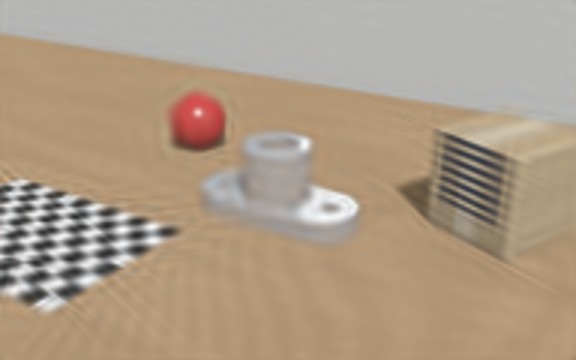
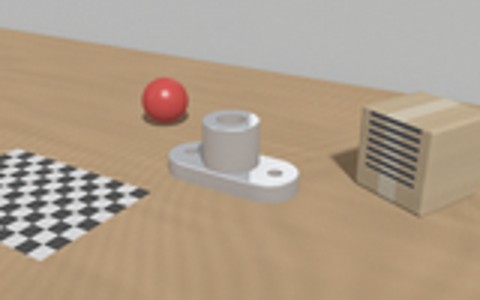
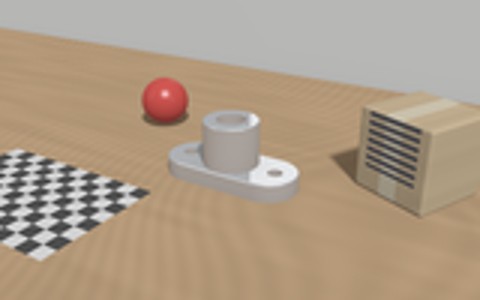
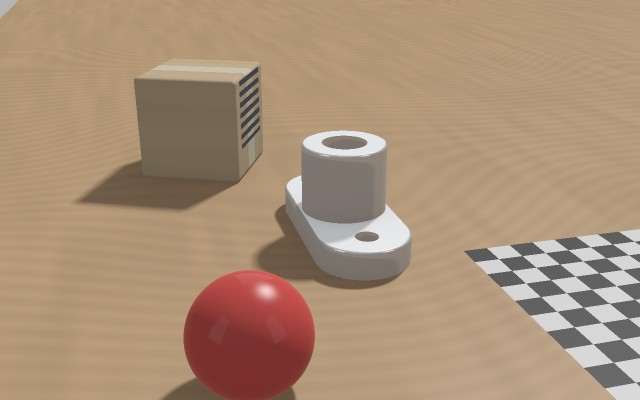
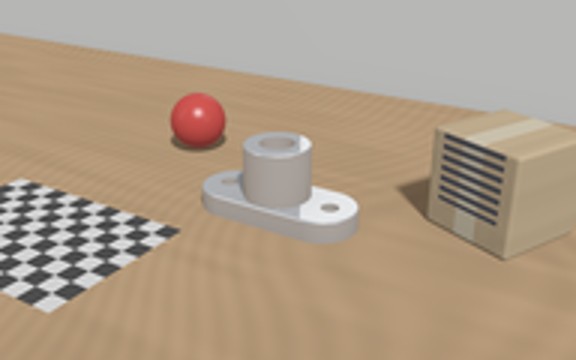
  • One small workshop scene, rendered with exact geometry — so every error can be measured in millimetres.
  • It contains the typical troublemakers of real inspection scenes.
  • Every picture in this lecture is computed from it by real algorithms, not drawn.

Results First

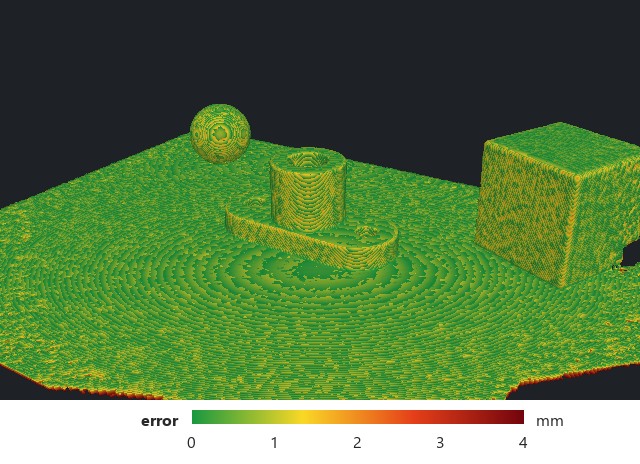
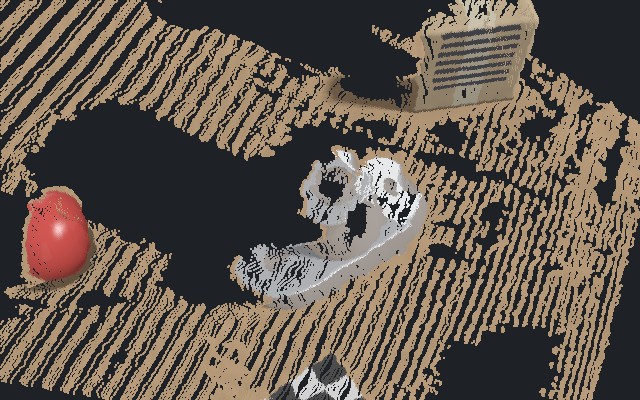
  • Where this lecture leads: three kinds of results from photographs.
  • Keep these pictures in mind — every part explains one of them.
  • The question is always why a method is used, and what it cannot do.
dense depth
a distance for every pixel
a measured surface
coloured by its error in mm
an image rebuilt from 1200 Gaussians
the idea behind Gaussian splatting

What VSLAM Already Gives Us

  • A trajectory of camera poses and keyframes in one consistent frame.
  • Sparse 3D landmarks: only well-matched feature points.
  • No dense surface, no appearance model — and with one camera, no metric scale.

Sparse Map versus Dense Depth

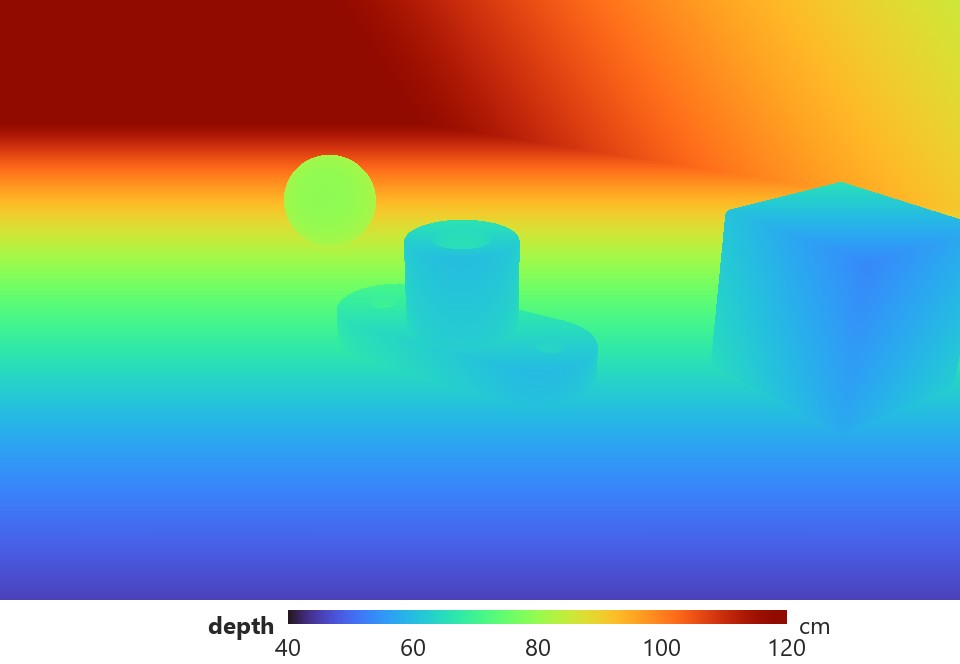
  • Left: what a feature-based SLAM keeps — a few hundred well-matched points.
  • Right: what we want — a depth value for every pixel, including smooth and shiny parts.
  • Between them lies everything this lecture is about.
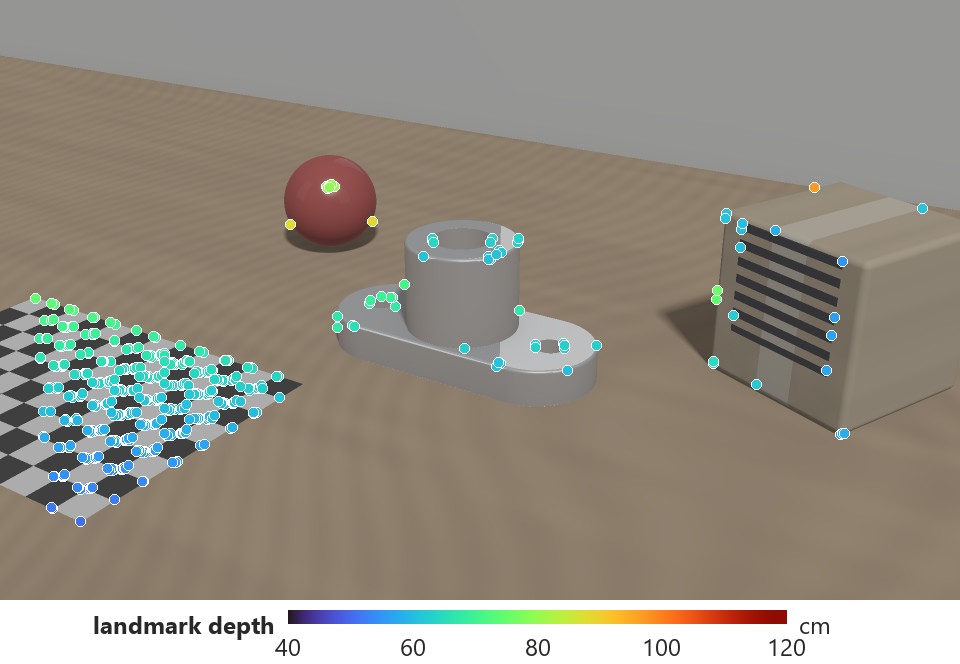
sparse: ORB feature points, coloured by depth
dense: ground-truth depth of the same view

What Reconstruction Should Deliver

  • Geometry: where surfaces and occupied space are.
  • Appearance: how the scene looks from a given viewpoint, including reflections.
  • Dynamics: how geometry and appearance change over time.

Machine Vision versus Computer Graphics

  • Graphics wants images that look right.
  • Machine vision wants geometry that is right — in millimetres, with an uncertainty.
  • A photorealistic model can still have the wrong dimensions.

Recap: One Pixel Is a Ray

  • Projection s u = K [R | t] X maps a 3D point to a pixel.
  • Inverting it gives a ray, not a point: depth is lost.
  • Depth must come from more views, a sensor, or a learned prior.

Recap: Triangulation Needs Baseline

  • Two rays from calibrated cameras intersect at the point.
  • Each ray is uncertain by a fraction of a pixel; the overlap of the two wedges is the uncertainty.
  • Small baseline or large depth: the overlap stretches along the viewing direction.

Check question

Your monocular VSLAM map looks great. Can you measure the width of a part with it?

Not yet: the map is sparse (few points on the part) and its scale is arbitrary without a metric reference (known size, stereo, IMU, depth sensor).
?

Six Ways to Represent the Same Object

  • We use one running example: a cross-section of a flange (2D for clarity; the ideas are 3D).
  • Explicit: points, mesh, voxels, Gaussians. Implicit: fields queried at any point.
  • The choice decides what can be measured, rendered, and stored.

Point Clouds

  • A set of 3D points, optionally with colour and normal: what LiDAR and triangulation produce.
  • Simple and flexible, but no explicit surface and no inside/outside.
  • Only what a sensor saw is represented; gaps stay gaps.

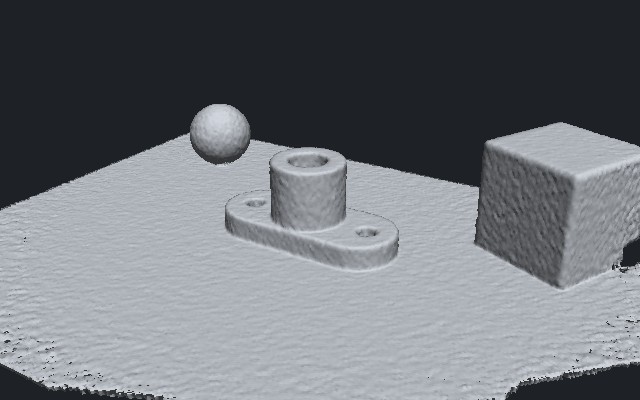
A Real Point Cloud, Seen from Another Angle

  • Depth from one stereo camera, turned into points and viewed from above.
  • Behind every object there is a shadow of missing data; the plain wall is gone entirely.
  • A single view is never enough — and points alone do not tell what is solid.
what the camera saw
its point cloud from another viewpoint

Meshes

  • Vertices connected into triangles describe the surface explicitly.
  • The standard for measurement, collision checking, and classical rendering.
  • Hard to build directly from images; changing topology is difficult.

Voxel Grids

  • A voxel is the 3D analogue of a pixel: a cell of a regular grid.
  • It can store occupancy, distance, colour, or a feature vector.
  • Memory grows with the cube of the resolution — try the slider.

Occupancy Grids

  • Each cell holds the probability that it is occupied.
  • Every measured ray updates two kinds of cells: those it passes (free) and the one it hits.
  • The standard map for robot navigation and planning.

Signed Distance and TSDF

  • Each cell stores the distance to the nearest surface, negative inside.
  • The surface is where the distance is zero — sub-voxel accurate by interpolation.
  • TSDF keeps only a band around the surface and averages many depth maps (KinectFusion).

Fusing Many Noisy Depth Maps

  • 14 depth maps from different viewpoints, each with realistic sensor noise, fused into one TSDF.
  • Averaging over views removes most of the noise: the surface is smooth and closed where it was seen.
  • Right: the same surface coloured by its distance to the true object — the kind of map used in metrology.
fused surface (shaded)
accuracy map: green = within a fraction of a millimetre

Sparse and Adaptive Grids

  • Most of space is empty; storing it all wastes memory.
  • Quadtrees / octrees refine only where the surface is.
  • Hash grids map a huge virtual grid into a compact table (used again for fast NeRFs).

Implicit Neural Fields

  • A neural network f(x) returns occupancy or signed distance for any 3D point.
  • Continuous: no fixed resolution; the scene is stored in the network weights.
  • The price: every query is a network evaluation.

Radiance Fields: Colour Depends on Direction

  • A radiance field returns density and colour for a position and a viewing direction.
  • It can model reflections and gloss that a single texture cannot.
  • It describes appearance — not automatically a surface.

Gaussians as Primitives

  • Cover the scene with many soft, oriented ellipsoids.
  • Each has a centre, a covariance, an opacity, and a colour.
  • Explicit like a point cloud, but continuous and fast to render.

Which Representation for Which Job?

representationmeasure dimensionsplan / colliderender new viewsmemory
point cloudroughlywith effortpoorlymoderate
meshyesyesyes (with textures)small
occupancy / voxelsat grid resolutionyespoorlylarge (cubic)
SDF / TSDFyes (zero level)yesvia meshlarge, sparse helps
radiance field (NeRF)indirectlyindirectlyyessmall (weights)
3D Gaussianswith careindirectlyyes, real timelarge

Choose by the downstream task. Conversions are possible (field → mesh, Gaussians → surface), but each one adds error.

Check question

You must (a) check a hole tolerance, (b) plan a robot path, (c) show a customer the line from new viewpoints. Which representation for each?

(a) a mesh or SDF validated against ground truth; (b) an occupancy grid; (c) a radiance field or Gaussian splats.
?

The Classical Dense Pipeline

  • Poses from SLAM/SfM, then a depth map for each view, then fusion into one model.
  • The depth-map step is where most errors appear.
  • It is also where learned matching helps most.

Where Classical Matching Fails

  • Matching compares small patches along the epipolar line and picks the lowest cost.
  • Textureless or repetitive regions give flat or periodic cost curves: no clear answer.
  • Learned features use context (lecture 2) and produce one clear minimum.

Stereo: Depth from Disparity

  • For a rectified pair, depth is inversely proportional to disparity: Z = f B / d.
  • A fixed matching error in pixels becomes a depth error growing with Z².
  • Better matching (learning) helps, but baseline and focal length set the limits.

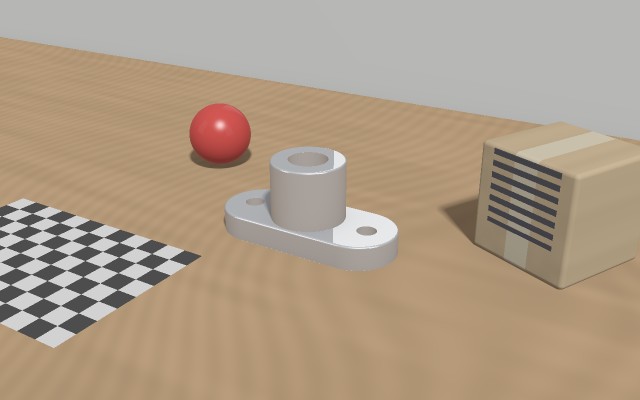
Classical Stereo on Our Scene

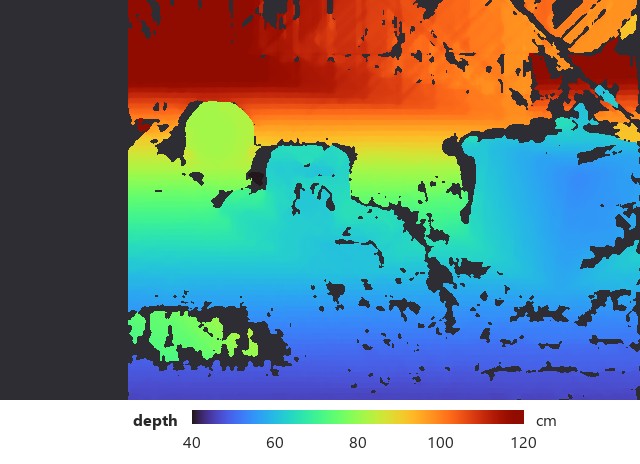
  • Two cameras 6 cm apart; a classical matcher (OpenCV SGBM) finds the disparity for every pixel.
  • Black = no reliable match. The plain wall and the shiny metal are mostly missing.
  • Where it does match, the depth is good: median error 3 mm.
left image (right camera 6 cm aside)
depth from stereo matching

Where Stereo Is Wrong

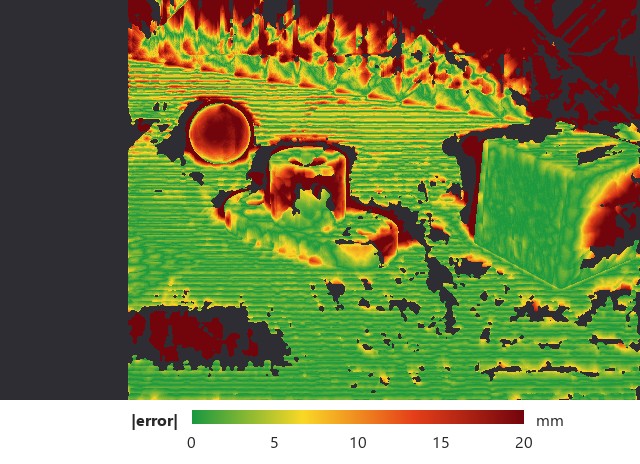
  • The same result coloured by its error against the true depth, in millimetres.
  • Red regions are exactly the troublemakers: textureless wall, repetitive checkerboard, object edges.
  • This is why learned matching exists: it uses context to fill and fix these areas.
input
error map: green ≤ 5 mm, dark red ≥ 20 mm

The Cost Volume

  • For every pixel and every candidate disparity, store how well the two images match.
  • The result is a 3D tensor: height × width × disparity.
  • The best disparity of a pixel is the minimum along its column.

A Learned Stereo Network

  • A shared CNN extracts features from both images.
  • Features are compared at each disparity to build a cost volume; 3D convolutions clean it up.
  • A differentiable readout turns it into a disparity map.

Soft-Argmin: A Differentiable Minimum

  • A hard argmin has no useful gradient and is limited to whole disparities.
  • Softmax over negative costs gives a probability per disparity.
  • The expected disparity is sub-pixel and can be trained end to end.

Multi-View Stereo: The Plane Sweep

  • Hypothesize planes at many depths in front of the reference camera.
  • Project the other views onto each plane and measure how much they disagree.
  • At the true depth all views agree — the minimum of the curve.

Learned Multi-View Stereo

  • MVSNet-style networks do the plane sweep on CNN features instead of pixels.
  • The variance across views forms a cost volume; a 3D CNN regularizes it.
  • Output: a depth map with a confidence map, for every reference view.

Monocular Depth and the Scale Problem

  • A network can predict depth from one image using learned priors about the world.
  • Geometry alone cannot tell a toy from a house: the scale is ambiguous.
  • Good relative depth is not yet a metric reconstruction.

A Depth Network Sees One Photo

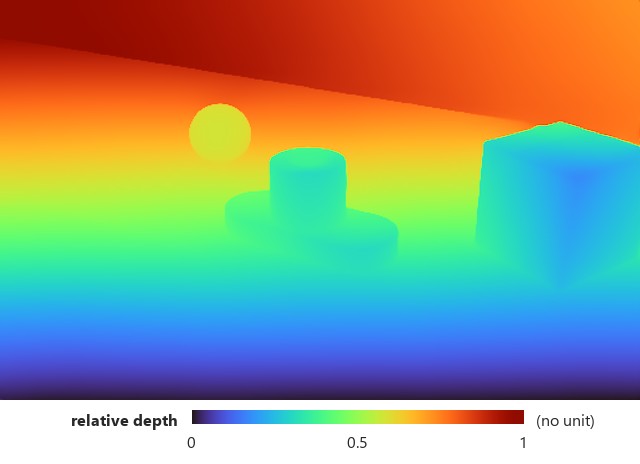
  • A pretrained network (Depth Anything V2) predicts depth from the left image alone.
  • No holes, sharp object outlines, even the plain wall — learned from millions of photos.
  • But the output has no unit: it is only relative depth.
one input image
network output: dense, but without scale

Fixing Scale with SLAM Points

  • VSLAM landmarks give a few reliable depths in each keyframe.
  • Fit a scale and shift between network depth and landmark depth.
  • Dense learned depth then inherits the scale of the SLAM map.

After Scaling: Complete, but Less Accurate

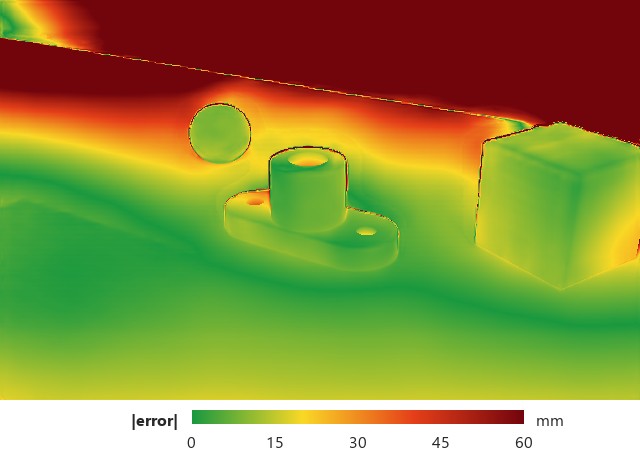
  • Scaled with the sparse SLAM points, every pixel gets a depth in centimetres.
  • Compare: stereo has holes but ≈ 3 mm error; the network is complete but ≈ 12 mm off.
  • Typical practice: learned depth for completeness, geometry for accuracy — often combined.
stereo: holes, accurate where valid (0–20 mm)
network + scale: no holes, larger errors (0–60 mm)

Check question

Your stereo depth is accurate at 1 m but poor at 8 m. Why, and what would help?

The error grows with Z²/(f B): 64 × worse at 8 m. Increase the baseline or focal length, use more views (MVS), or move the camera closer.
?

From Depth Maps to One Scene Function

  • MVS estimates a depth map per view and fuses them afterwards.
  • A neural field instead optimizes one function for the whole scene.
  • A rendering loss ties every pixel of every camera to that single model.

What a NeRF Needs: Many Photos with Known Poses

  • Typically 50–200 photos around the object; here 14 for illustration.
  • The pose of every photo must be known — from VSLAM or structure from motion.
  • Output: a model that renders the scene from any viewpoint between these cameras.

training images from two rings of camera positions

NeRF: What Goes In and What Comes Out

  • For a pixel, the pose and intrinsics give a ray; we sample points along it.
  • An MLP maps each sample's position and the ray direction to density and colour.
  • Volume rendering turns the samples into one pixel colour, compared with the photo.

Why NeRF Needs a Trick for Detail

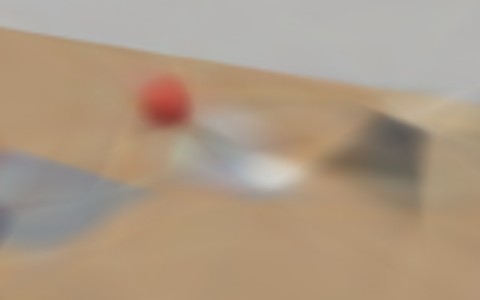
  • We trained the same small network to reproduce the photo from pixel coordinates.
  • Fed raw (x, y), it only learns a blurry image. Fed sines and cosines of the coordinates, it learns every edge.
  • NeRF uses the same trick in 3D — without it, the scene would be blurry.
raw coordinates · PSNR 23 dB
with positional encoding · PSNR 43 dB
target photo

Positional Encoding

  • MLPs fed raw coordinates learn only smooth, blurry functions.
  • Encoding each coordinate with sines and cosines of rising frequency exposes fine detail.
  • Move the slider: the same fitting problem with more frequencies.

Volume Rendering Along a Ray

  • Density says how likely the ray is to stop at each sample.
  • Transmittance says how much light is still unblocked; it only decreases.
  • Weights = transmittance × opacity peak at the first surface; they mix the colours.

Rendering, Number by Number

  • Discrete form: Ĉ = Σ Ti αi ci, with αi = 1 − e−σiδ and Ti = Πj<i(1 − αj).
  • Every step is differentiable, so the photo loss trains density and colour.
  • Four samples, computed column by column.

Training a NeRF

  • Each iteration draws a random batch of rays from all training images.
  • Render them, compare with the observed pixels, back-propagate into the MLP.
  • This is optimization of one scene, not learning that generalizes to other scenes.

Which Parts Did the Cameras Actually See?

  • Each surface point coloured by how many training photos show it.
  • Green: seen often — the model is well constrained. Red: seen once or never.
  • Behind the box and under objects, any method can only guess.
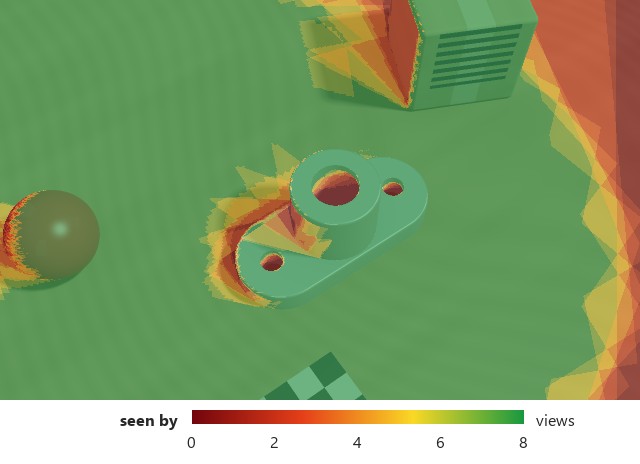
coverage map of the 14 training views, seen from above

Coarse-to-Fine Sampling

  • Uniform samples waste most evaluations on empty space.
  • A coarse pass estimates the weights along the ray.
  • Fine samples are drawn where the weights are high — near the surface.

Where NeRF Works — and Where It Breaks

  • New views between the training cameras are interpolated very well.
  • Outside the camera coverage the model guesses: floaters and invented content.
  • Few views or wrong poses make it worse.

A New Viewpoint: What Is Known, What Is Not

  • The scene from a new side, outside the ring of training cameras.
  • Left: everything the photos actually observed, re-projected. Right: the truth.
  • A NeRF must fill the black gaps — that is where floaters and invented content appear.
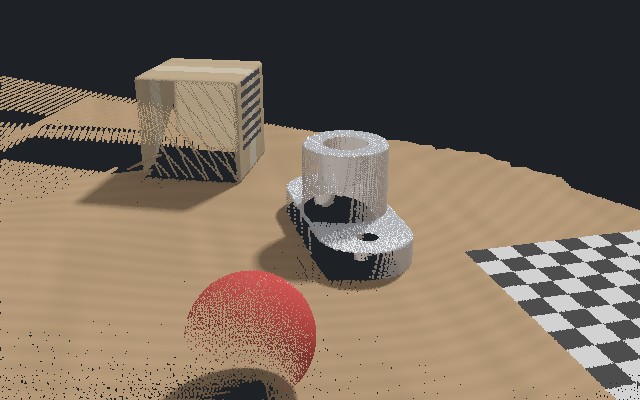
observed data from the new viewpoint
true view (never photographed)

Making NeRF Fast: Hash Grids

  • The original NeRF took hours to days per scene.
  • Instant-NGP stores learnable features in multi-resolution hash grids (Part 2).
  • A tiny MLP reads the interpolated features: training in minutes.

Depth and Geometry from a NeRF

  • Expected depth along a ray: the weighted mean of sample depths.
  • A mesh can be extracted from a density threshold — but the threshold is arbitrary.
  • Floaters pull depth into empty space; SDF-based fields give cleaner surfaces.

Check question

Your NeRF reaches a high PSNR on test views. Does that prove the part's dimensions are correct?

No. PSNR measures image agreement. Dimensions need geometric ground truth, calibration, errors in millimetres, and an uncertainty — and only where the part was observed.
?

Why Gaussian Splatting?

  • NeRF evaluates a network hundreds of times per pixel.
  • 3D Gaussian splatting (2023) stores explicit primitives and rasterizes them.
  • Same training data (posed images), similar quality, real-time rendering.

The Idea in 2D: Rebuild a Photo from Blobs

  • Here we actually optimized coloured 2D Gaussians to reproduce the photo (gradient descent, as in lecture 1).
  • Few blobs: a blurry impression. More blobs: detail appears where the image needs it.
  • 3D Gaussian splatting does the same in 3D, with many photos at once.
30 Gaussians · 22 dB
200 Gaussians · 25 dB
1200 Gaussians · 32 dB
target photo

One 3D Gaussian

  • Centre μ, covariance Σ (size and orientation), opacity α, view-dependent colour.
  • Σ is built from a rotation and three scales, so it stays valid during optimization.
  • Try the sliders: anisotropy lets one Gaussian cover a thin edge.

From 3D Ellipsoid to 2D Splat

  • Each Gaussian is projected into the image as a 2D Gaussian (the splat).
  • Its 2D covariance follows from the camera pose and the local linearization of the projection.
  • Farther Gaussians make smaller splats.

Blending Splats

  • Splats covering a pixel are sorted by depth.
  • They are composited front to back with their opacities.
  • It is exactly NeRF's rendering formula — with explicit primitives instead of samples.

The Optimization Loop

  • Start from the sparse SfM/SLAM points: one Gaussian per point.
  • Render a training view, compare with the photo, update every parameter by gradient descent.
  • Periodically add and remove Gaussians.

Adding and Removing Gaussians

  • Where the image error stays high, small Gaussians are cloned and large ones split.
  • Nearly transparent Gaussians are pruned.
  • The number of primitives adapts to the detail of the scene (often millions).

3DGS versus NeRF

NeRF (+ hash grids)3D Gaussian splatting
scene stored asnetwork weights / feature gridsmillions of explicit primitives
renderingray marching, many queriesrasterization, real time
memorysmalllarge (hundreds of MB)
editinghardeasy: move, delete primitives
geometrydensity threshold or SDF variantneeds surface-aligned variant
bothneed calibrated, posed images and good coverage; optimize image agreement

Geometry from Gaussians

  • Gaussian centres are not surface samples; blobs can explain images without a clean surface.
  • Surface-aligned variants (2DGS, SuGaR) flatten the Gaussians onto the surface.
  • Then depth and meshes can be extracted — and must still be validated.

Check question

Can you export the Gaussian centres as a point cloud and measure the part on it?

Not directly: centres sit inside the object and spread with the primitives' size. Use a surface-aligned variant or extract a surface, then compare with ground truth.
?

Who Moved: the Camera or the Scene?

  • A dynamic scene is a function of position and time.
  • From images alone, camera motion and object motion can explain the same change.
  • Each time instant is usually seen from only a few views.

Moving Objects Break Simple Cameras

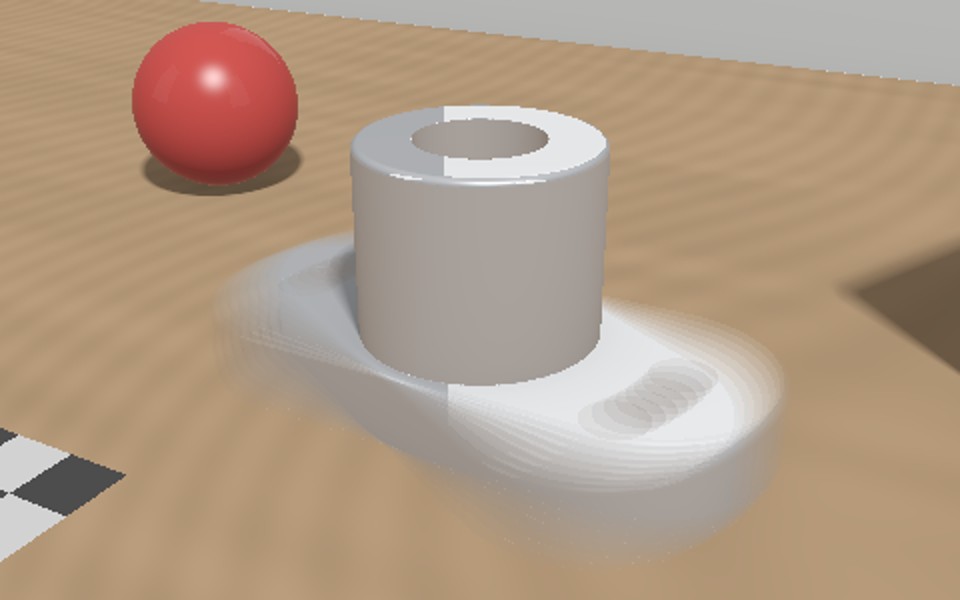
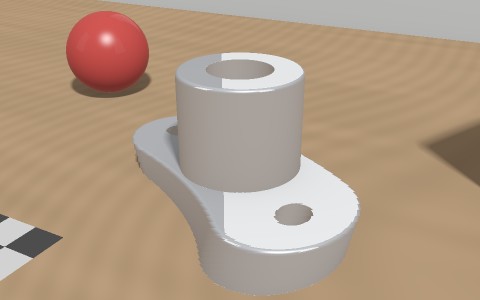
  • The flange rotates during the exposure. Same scene, three cameras.
  • Long exposure smears it; a rolling-shutter camera reads rows at different times and bends it.
  • A 3D method fed with these images reconstructs the smear or the bend as if it were real.
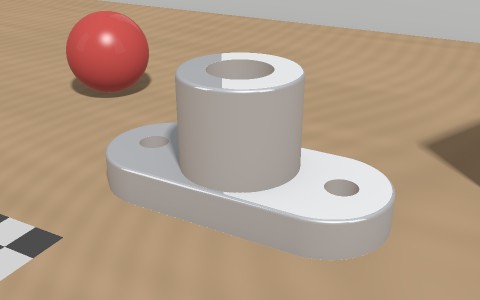
global shutter, short exposure
long exposure: motion blur
rolling shutter: skewed shape

Canonical Space plus Deformation

  • Store the scene once, in a canonical (reference) configuration.
  • A deformation field moves every point to its position at time t.
  • Structure is shared over time; topology changes (cutting, opening) remain hard.

4D Gaussian Splatting

  • Each Gaussian gets a time-dependent position, and possibly shape and colour.
  • Motion is modelled by a small network, by trajectories, or by a time basis.
  • Rendering at any time stays a fast splat.

Temporal Regularization

  • Few observations per instant make motion estimates noisy.
  • Smoothness over time suppresses jitter and flicker.
  • Too much smoothing removes real events: contacts, impacts, sudden stops.

Capture: Synchronization Matters

  • Several synchronized cameras are worth more than a better model.
  • An unsynchronized camera sees moving objects at the wrong place.
  • Short exposure limits motion blur; coverage in space and time limits guessing.

Check question

You want a 4D model of a robot arm moving at 2 m/s with 5 mm accuracy. What do you require from the camera setup?

Hardware-synchronized cameras (offset well below 2.5 ms), short exposure, enough views around the arm, and calibrated poses — before choosing any 4D method.
?

Evaluating New Views

  • PSNR measures pixel error, SSIM local structure, LPIPS perceptual similarity (a network).
  • Always evaluate on cameras held out from training.
  • Pixel metrics are very sensitive to tiny misalignment and exposure changes.

Evaluating Geometry

  • Accuracy: how far reconstructed points are from the truth (false surface).
  • Completeness: how much of the true surface was reconstructed (missing surface).
  • Chamfer distance averages both; the F-score reports both at a tolerance τ.

A Small Pose Error, a Visible Shape Error

  • The same 14 depth maps fused twice; in the second run, three camera poses are off by about 4°.
  • The table (seen the same way by all cameras) stays green; edges and curved objects turn red.
  • Such maps are how calibration and pose problems are found in practice.
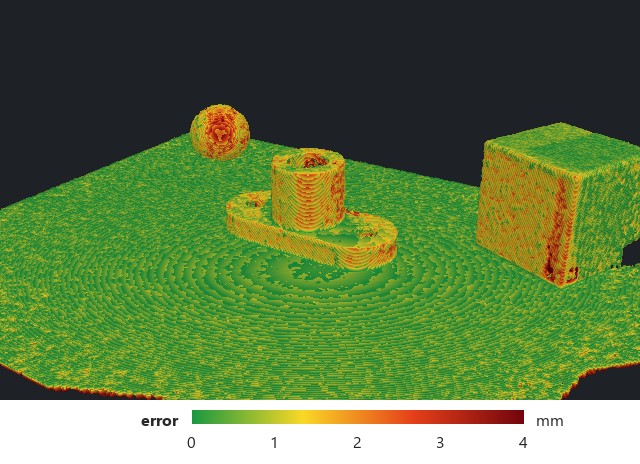
correct poses (0–4 mm)
3 poses off by ≈ 4°

Uncertainty and Coverage

  • Aleatoric uncertainty: sensor noise and ambiguity in what was observed.
  • Epistemic uncertainty: what the data never constrained — the model's guess.
  • A reconstruction without a confidence map is incomplete for decisions.

Typical Failures

  • Each failure has a physical cause, not only a model cause.
  • Most can be detected by checking geometry against a reference.
  • The last one is the most dangerous: the result looks plausible.

Applications in Machine Vision

  • Dense 3D models connect perception with simulation, robotics, and inspection.
  • The required quality depends on the application.
  • Decide the quality measure before choosing the method.

Choosing a Pipeline

  • Start from the data you have and the output you need.
  • The simplest pipeline that meets the requirement wins.
  • The checks at the end are not optional.

Coupling with VSLAM

  • VSLAM provides poses, intrinsics, and seed points for NeRF and 3DGS.
  • Refining poses together with the scene can remove small errors.
  • It can also absorb a pose error into a deformed scene — check the poses separately.

A Safe Workflow

  • Verify calibration and poses before anything learned.
  • Keep a classical baseline to compare against.
  • Report geometric error and uncertainty on data the method has not seen.

Check question

How do you show that a reconstruction is correct, not just a good-looking rendering?

Hold out views for image metrics, compare geometry with an independent reference in millimetres (accuracy, completeness, F-score), and mark regions that were never observed.
?

What to Remember

  • The representation decides what can be measured and what it costs.
  • NeRF and 3DGS optimize agreement with images, not automatically correct surfaces.
  • Time adds ambiguity and strict capture requirements.

Closing

What output does the next algorithm actually need?
Which part of the result is measured, and which is prior?
Where — and in which units — can we verify it?

?
Keys
→ / Space / PageDown / click — next step
← / PageUp — previous step
Shift + → / ← — skip to next / previous slide
F — fullscreen · O — overview · R — restart slide
type a number + Enter — go to slide
python shared/export_pdf.py all — PDF of every lecture